> ## Documentation Index
> Fetch the complete documentation index at: https://docs.contactship.ai/llms.txt
> Use this file to discover all available pages before exploring further.
# Quickstart
> Quick guide to integrating Contactship with other tools
### What are Integrations in Contactship?
Integrations in Contactship allow you to connect our platform with various external tools and services, enhancing your workflows. With these integrations, you can automate processes, optimize call management, and improve communication with your clients. Discover how you can elevate your experience!
***
### Key Steps to Integrate Contactship
To start integrating Contactship with other tools, follow these essential steps:
1. **Register on the Platform**
* If you don’t have an account yet, sign up [here](https://app.contactship.ai/).
2. **Access the API Keys Section**
* Navigate to the **Organizations** menu in the sidebar.
* Select **API Keys**.
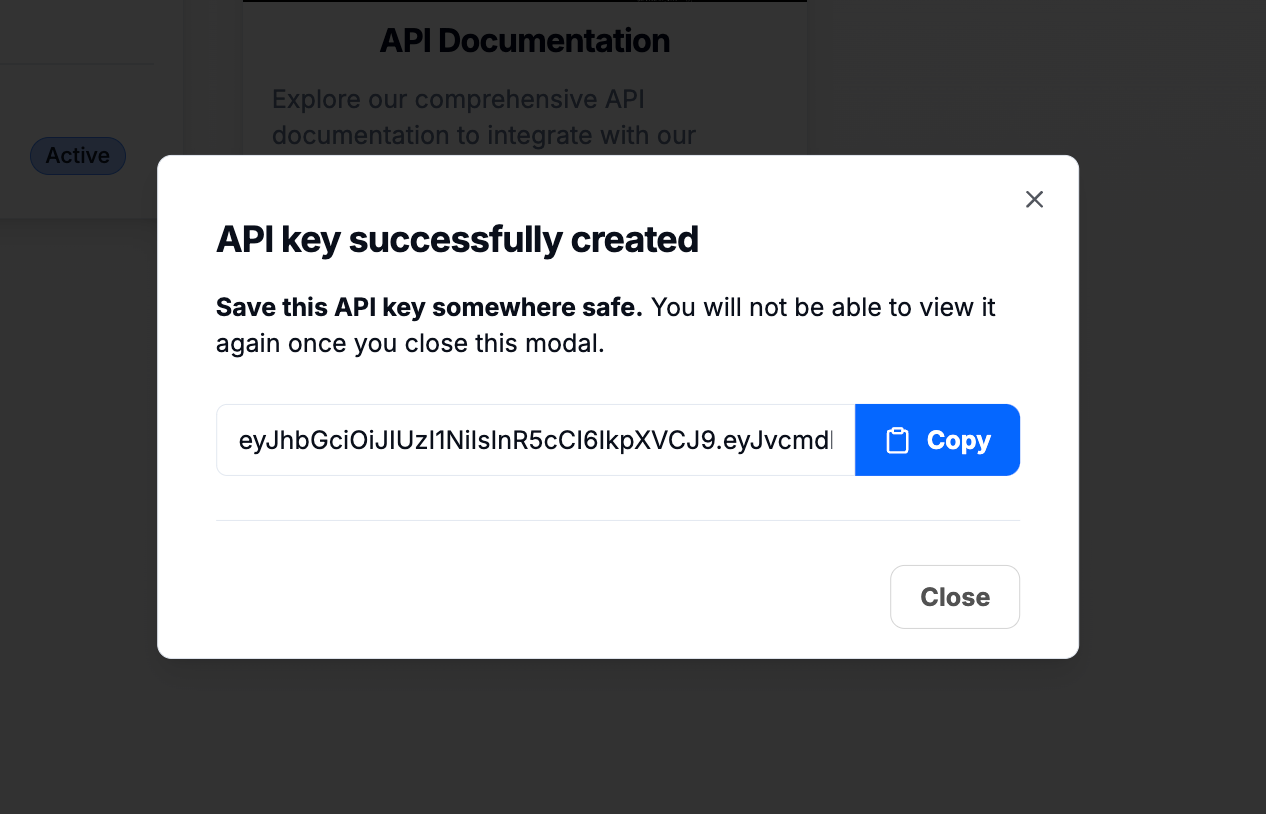
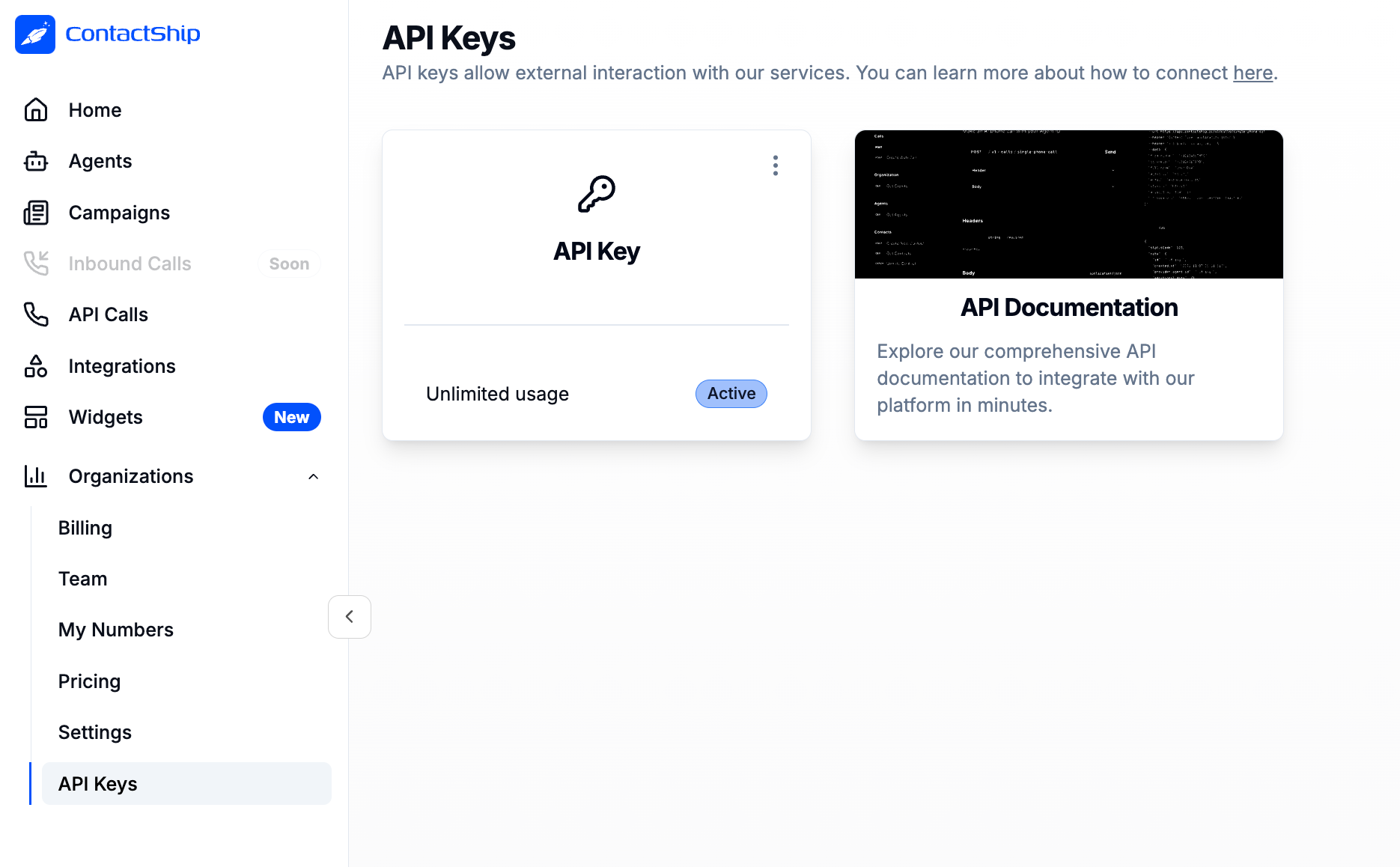 3. **Generate Your API Key**
* Click on **Generate Key**.
* **Important**: The API key will only be displayed once for security reasons. If you lose it, you will need to delete it and create a new one.
3. **Generate Your API Key**
* Click on **Generate Key**.
* **Important**: The API key will only be displayed once for security reasons. If you lose it, you will need to delete it and create a new one.
 ***
### Tips for a Successful Integration
* **Secure Connection**: Keep your API key safe and do not share it publicly.
* **Documentation**: Refer to the [API documentation](https://docs.contactship.ai) for details on how to use the API in your integrations.
* **Support**: If you have questions or need assistance, feel free to contact our support team.
***
### Start Integrating!
Now that you have the necessary information, it’s time to start integrating Contactship with your favorite tools! Make the most of our capabilities and enhance your workflow.
### Main Integrations
Manage your voice agents with natural language from Claude, Cursor, or any AI assistant.
Integrate with Make to automate your workflows seamlessly.
Connect with N8N to automate AI calls from forms, CRMs, and more.
***
### Tips for a Successful Integration
* **Secure Connection**: Keep your API key safe and do not share it publicly.
* **Documentation**: Refer to the [API documentation](https://docs.contactship.ai) for details on how to use the API in your integrations.
* **Support**: If you have questions or need assistance, feel free to contact our support team.
***
### Start Integrating!
Now that you have the necessary information, it’s time to start integrating Contactship with your favorite tools! Make the most of our capabilities and enhance your workflow.
### Main Integrations
Manage your voice agents with natural language from Claude, Cursor, or any AI assistant.
Integrate with Make to automate your workflows seamlessly.
Connect with N8N to automate AI calls from forms, CRMs, and more.